


Picshiner - AI Photo Editor
3.182.00 Reviews
App Specs
- Version
- 1.0.117
- Updated On
- License
- Free
- Downloads
- 10,000,000+
- Developer
- AdoreApps Media
- Categories
- Art & Design
- Platform
- Android
Screenshots


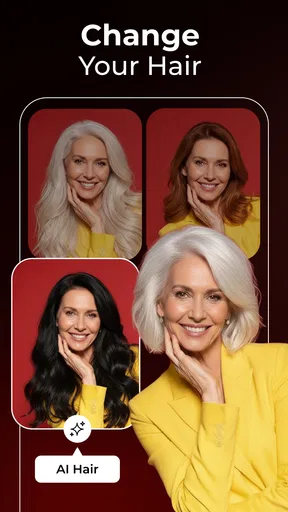
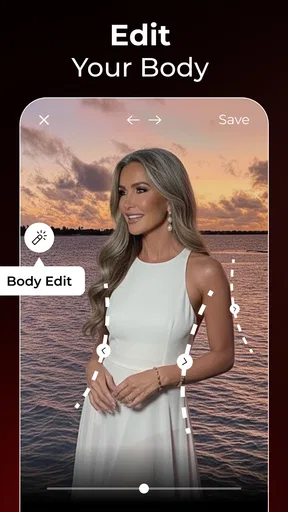
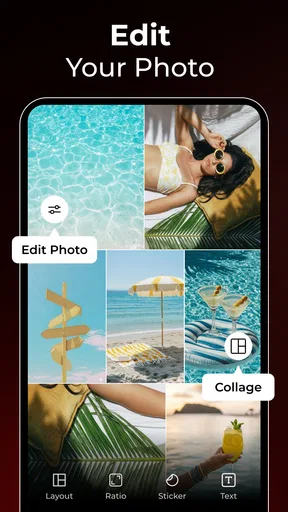

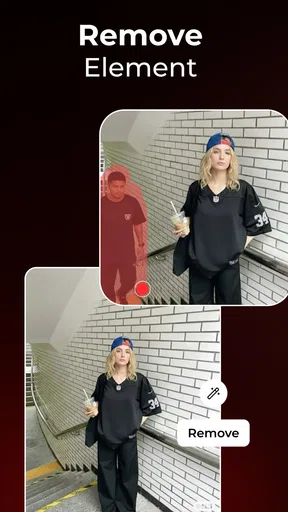
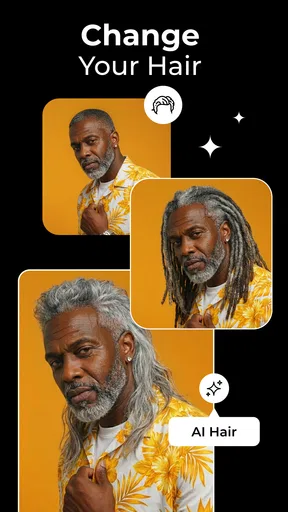
 Analysis by AppCompare
Ever wanted to add a little magic to your photos without spending hours tweaking settings? Enter Picshiner - AI Photo Editor. I’ve been playing around with this app, and let me tell you, it’s like having a pocket-sized photo editing wizard.
A practical starting workflow
For a quick edit, I’d begin with a photo that is already in focus and reasonably well lit, then compare the app’s suggested enhancement with the untouched image before saving. That small pause matters: an automatic adjustment can make a dim snapshot clearer, but it can also push skin, skies, or bright signs toward a look that feels less natural. I treat the first result as a draft rather than an instruction.
A useful everyday example is a family picture taken indoors when nobody wants to wait while I edit. I can try the AI enhancement, check faces and the brightest parts of the frame, and decide whether a filter helps or distracts. If the image is meant for a group chat, a quick, believable correction is often enough; for a print or a portfolio, I’d spend longer checking details in a more hands-on editor.
Unleashing Your Inner Artist
If you’re anything like me, you love capturing moments but dread the editing process. Picshiner - AI Photo Editor is designed with folks like us in mind. It’s all about simplicity and making your photos look awesome with minimal effort.
The app boasts a sleek and intuitive interface, which means you don’t need a degree in graphic design to navigate it. Once you open a photo, the app guides you through a series of enhancements. Whether it's adjusting brightness, contrast, or applying a filter, it all feels super smooth and intuitive.
AI-Powered Magic
Now, here’s where the magic happens. The AI engine behind Picshiner is pretty impressive. It analyzes your photo and suggests enhancements that you might not even realize you need. And trust me, it’s often spot on. One tap and your photo goes from "meh" to "wow!"
There are also some nifty features like auto-correction and retouching tools. Say goodbye to blemishes and hello to flawless selfies. It’s like having a professional editor right in your pocket. Who knew AI could be so artsy?
Worth Reading Before You Choose

EA SPORTS FC Mobile 26 Is a Bigger Football Game, but It Takes Time

Flipboard Shows What News Apps Must Do Beyond the Feed

Switching to Android Auto Means Rethinking Your Driving Routine

Google Calendar Makes a Crowded Week Easier to Manage

Ludo King Makes the Most of the Minutes Between Plans

Baby Panda World Brings Quick Play to Modern Phones, but Its Game Library Feels Busy
Settings that deserve a second look
Even when I want a fast result, I check the image at normal viewing size after applying a correction. A face can look polished when zoomed in yet oddly smooth when seen as a whole, so I’d keep retouching restrained if the photo is meant to look candid. For portraits, I prefer preserving texture over chasing a spotless finish.
I also avoid stacking several strong looks just because each one seems appealing on its own. A correction followed by a bold filter can change color and contrast more than expected. My safer habit is to make one meaningful adjustment at a time, pause to judge the overall image, and undo or revise the step if it takes the photo away from its original mood.
Filters and Effects Galore
If you’re into filters, you’re in for a treat. Picshiner has a vibrant collection that caters to every mood and style. Whether it's vintage, black and white, or something more colorful, there’s something for everyone. Just a swipe and your photo transforms into something Instagram-ready.
- Easy-to-use interface
- AI-driven enhancements
- Rich selection of filters
Faster habits without over-editing
For a batch of related pictures, I’d choose one image first and settle on a restrained look before editing the rest. That gives me a visual reference, even if I still need to inspect each photo separately. Lighting changes from shot to shot, so copying the same strong treatment blindly can make a set look inconsistent rather than polished.
Another helpful habit is to keep the original image available until I’m satisfied with the finished version. I compare the two before sharing, especially when AI enhancement or retouching has changed a face or fine detail. This is a simple way to catch edits that looked impressive at first but no longer feel like the moment I photographed.
Where this editor fits—and where it doesn’t
Picshiner is a fit for casual photographers who want a quick lift, people making social posts, and anyone who would rather try a suggested correction than learn a complex editing interface. Compared with a full desktop-style editor, its appeal is speed and approachability; the trade-off is that someone seeking precise control over every part of an image may prefer a tool built around detailed manual adjustments.
I’d also choose a different workflow for demanding product images, careful color matching, or photos that need exact, repeatable corrections. AI suggestions can be convenient, but they are not a substitute for judging the image yourself. A filter that works on a sunset may make an indoor portrait look unnatural, and retouching is best used with a light hand when realism matters.
Sharing Made Simple
Once you’ve polished your masterpiece, sharing it is a breeze. The app integrates seamlessly with social media platforms. A few taps and your photos are ready to dazzle friends and followers alike. It’s like having your own little gallery exhibit, but without the pretentious air.
Picshiner is a free art and design app from AdoreApps Media, with in-app purchases ranging from $2.99 to $43.99 per item. It is rated for Everyone, has an average rating of 3.3 from around 27,000 ratings, and has been installed over 5 million times. It was released on February 2, 2023, and version 1.0.105 requires Android 7.0 or later. I’d check the purchase details in the app before committing, particularly if I only need occasional edits; the free starting point makes it easy to try, but paid options may not suit someone who wants every tool at no extra cost.
Overall, Picshiner - AI Photo Editor is a fantastic tool for anyone who wants to enhance their photos without diving into complex editing software. It’s user-friendly, packed with great features, and, let’s be real, it’s just plain fun to use. Whether you’re a casual snapper or a selfie aficionado, this app is definitely worth a try.
My take after using it
I’d recommend it when the goal is a quick, attractive edit and I’m happy to make the final call rather than accept every automated suggestion. Its strongest routine is simple: start with a good original, test the enhancement, keep retouching modest, and compare the result before sharing. If you want fine-grained control or need consistent professional results, a more manual editor is the better choice. For everyday photos, though, Picshiner offers an approachable way to get from camera roll to shareable image without turning editing into a project.
Pros
- User-friendly interface for quick edits.
- Offers a wide range of AI tools.
- High-quality output for all photos.
- Fast processing with minimal lag.
- Regular updates with new features.
Cons
- Limited free version capabilities.
- Occasional ads can be intrusive.
- Requires internet for full functionality.
- Some features need premium access.
- May drain battery on extended use.
FAQs for Picshiner - AI Photo Editor
What features does Picshiner - AI Photo Editor offer?
Picshiner - AI Photo Editor provides a variety of features designed to enhance your photos with ease. It includes AI-driven tools for automatic photo enhancement, filters, retouching options, and background editing. Additionally, it offers advanced tools like object removal and color correction, making it suitable for both casual users and photography enthusiasts.
Is Picshiner available for both Android and iOS devices?
Yes, Picshiner - AI Photo Editor is available for download on both Android and iOS platforms. Users can find it on the Google Play Store for Android devices and the Apple App Store for iOS devices, ensuring accessibility for a wide range of smartphone users.
Does Picshiner require an internet connection to function?
While many features of Picshiner - AI Photo Editor can be used offline, some advanced AI-driven tools may require an internet connection to function optimally. This is because certain processes might rely on cloud-based computing, so it’s best to have internet access for full functionality.
Is there a subscription fee to use Picshiner - AI Photo Editor?
Picshiner offers a free version with basic features, but there is also a premium subscription available. The premium version unlocks additional tools and removes ads, providing an enhanced user experience. Pricing details are available within the app, and subscriptions can be managed through your app store account.
How user-friendly is Picshiner for beginners?
Picshiner - AI Photo Editor is designed with user-friendliness in mind, featuring an intuitive interface that is easy for beginners to navigate. The app provides tutorials and tips to help new users get the most out of its features, making it accessible even to those with little to no photo editing experience.


